RC Transfer Online on Parivahan | Vehicle Ownership Transfer Process
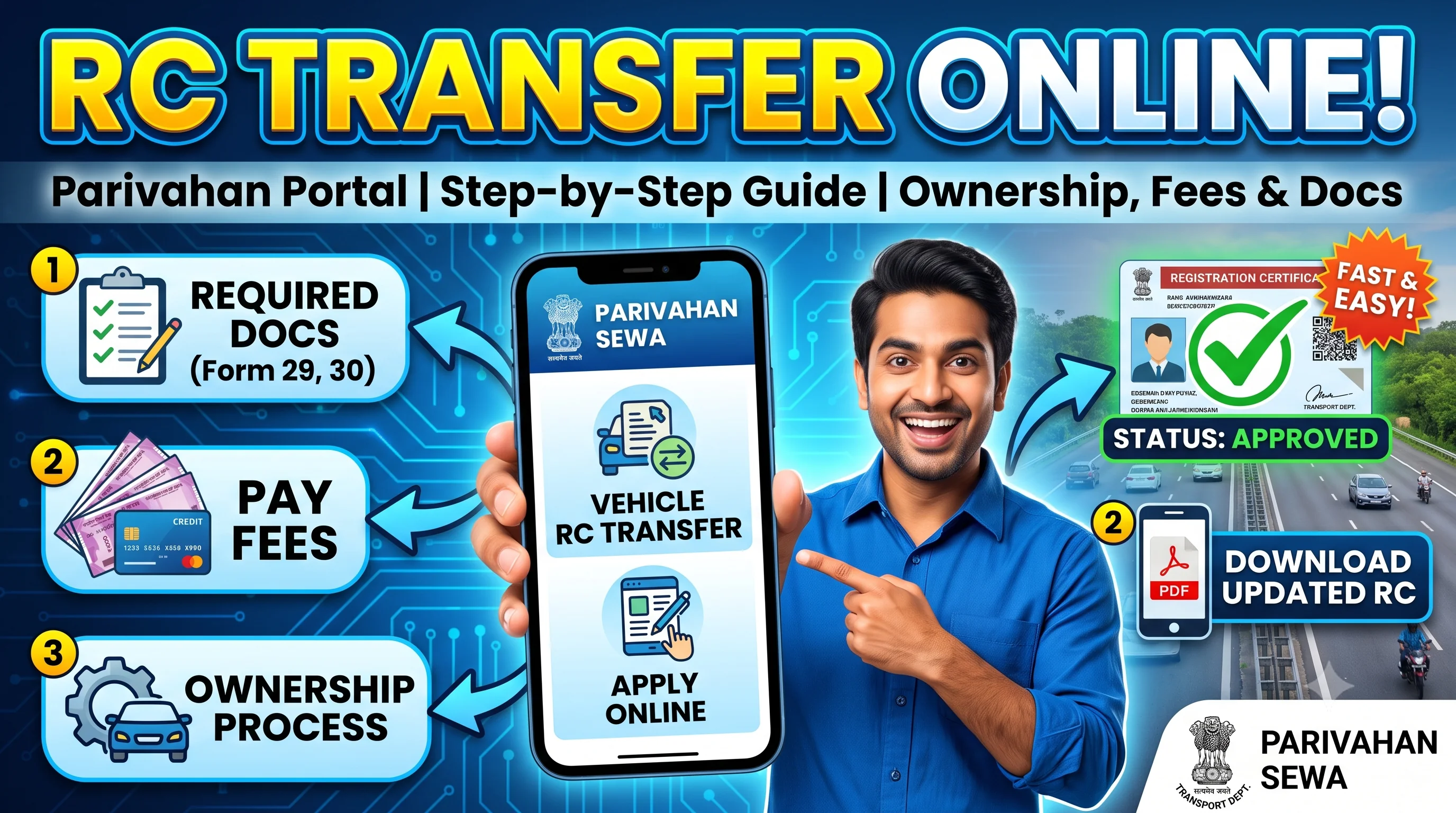
Start on the official Parivahan portal
Opens the official Parivahan portal in a new tab.
RC Transfer – Quick Overview
| Details | Information |
|---|---|
| Service | RC Transfer (Ownership Transfer) |
| Applicable For | Car, Bike, Scooter & Commercial Vehicles |
| Authority | Regional Transport Office (RTO) |
| Application Mode | Online & Offline |
| Portal | Parivahan |
| Processing Time | Varies by State |
| RC Status | Track Online |
| Updated RC | Available After Approval |
Quick Answer
RC Transfer is the legal process of transferring the ownership of a registered vehicle from one person to another. Whether you're buying or selling a used car, bike, or commercial vehicle, the Registration Certificate (RC) must be updated with the new owner's details through the Regional Transport Office (RTO).
Once the transfer application is submitted, you can Check RC Status to track its progress. After approval, verify the updated ownership through RC Details and Download RC Online to keep a digital copy of the new Registration Certificate.
Table of Contents
- 1. What is RC Transfer?
- 2. Why is RC Transfer Important?
- 3. When is RC Transfer Required?
- 4. Types of RC Transfer
- 5. Who Can Apply?
- 6. Eligibility Criteria
- 7. Documents Required
- 8. Before Applying – Checklist
- 9. Online Process
- 10. Offline Process
- 11. RC Transfer Fees
- 12. How Long Does RC Transfer Take?
- 13. RC Transfer Status
- 14. Download Updated RC
- 15. Common Mistakes
- 16. FAQs
What is RC Transfer?
RC Transfer, also known as Vehicle Ownership Transfer, is the official process of changing the registered owner of a vehicle in government records. Once the transfer is approved by the Regional Transport Office (RTO), the new owner's name replaces the previous owner's name on the Registration Certificate.
Many people believe that handing over the keys, receiving payment, and signing a sale agreement is enough to complete a vehicle sale. However, the ownership is not legally transferred until the Registration Certificate is updated.
This process protects both the buyer and the seller. It ensures that future liabilities such as traffic violations, accidents, insurance claims, or legal notices are associated with the correct owner.
If you're planning to purchase a second-hand vehicle, always Check RC Detailsbefore completing the transaction. Verifying the existing Registration Certificate helps confirm the owner's name, registration validity, engine number, chassis number, and other important information.
Why is RC Transfer Important?
Completing the RC Transfer process is not just a legal requirement—it also protects both parties involved in the transaction.
Without transferring the Registration Certificate, the previous owner may continue receiving:
- Traffic challans.
- Court notices.
- Insurance-related communications.
- Legal liability for accidents.
- Tax notices.
- Vehicle-related penalties.
Similarly, the buyer may face difficulties while:
- Renewing insurance.
- Selling the vehicle.
- Applying for a duplicate RC.
- Renewing the Registration Certificate.
- Removing hypothecation.
- Updating personal information.
Once the ownership is officially transferred, the new owner can access all future RTO services without complications. If the updated Registration Certificate is required in digital form, it can be accessed through RC Download after approval.
When is RC Transfer Required?
RC Transfer is required whenever ownership of a registered vehicle changes.
Some common situations include:
Buying a Used Vehicle
This is the most common reason for RC Transfer. Once the buyer purchases the vehicle, ownership should be updated in government records as soon as possible.
Selling Your Vehicle
After selling a vehicle, the previous owner should ensure that the buyer completes the RC Transfer process. Until the transfer is approved, legal responsibility for the vehicle may remain with the previous owner.
Vehicle Received Through Inheritance
When a vehicle is inherited by a legal heir, the Registration Certificate should be transferred according to the applicable legal procedure.
Vehicle Purchased Through Auction
Vehicles purchased through government auctions, bank auctions, or other legal auctions also require ownership transfer before they can be legally operated.
Company Ownership Changes
If a company transfers a vehicle to another entity or individual, the Registration Certificate must be updated accordingly.
Types of RC Transfer
Not every ownership transfer follows the same procedure. The required documents and process may vary depending on the reason for the transfer.
| Type | Description |
|---|---|
| Normal Sale | Vehicle sold to another individual |
| Gift Transfer | Ownership transferred as a gift |
| Inheritance Transfer | Transfer after the owner's death |
| Auction Transfer | Vehicle purchased through auction |
| Inter-State Transfer | Ownership transferred across states |
Understanding the correct transfer category helps reduce delays during document verification.
Who Can Apply for RC Transfer?
The following individuals are generally eligible to apply:
- Registered Vehicle Owner
- Vehicle Buyer
- Legal Heir
- Authorized Representative
- Company Representative
Both the buyer and seller may be required to complete certain formalities depending on the applicable transport rules.
Eligibility Criteria
Before applying for RC Transfer, ensure the following conditions are satisfied:
- Vehicle is registered with the RTO.
- Ownership documents are available.
- Identity proof of both parties is available (where applicable).
- Valid insurance policy.
- Pollution Under Control (PUC) Certificate.
- Road tax dues are cleared.
- Required transfer forms are completed.
If the Registration Certificate contains incorrect information, complete the RC Correction Process before applying for ownership transfer.
Documents Required for RC Transfer
The exact document list may vary between states, but generally includes:
| Document | Required |
|---|---|
| Original Registration Certificate | ✅ |
| Identity Proof | ✅ |
| Address Proof | ✅ |
| Vehicle Insurance Certificate | ✅ |
| Pollution Under Control (PUC) Certificate | ✅ |
| Passport-size Photographs | If Required |
| Sale Agreement | Where Applicable |
| Transfer Application Forms | ✅ |
| Applicable Fee Receipt | ✅ |
For vehicles financed through a bank or financial institution, the loan must generally be cleared before ownership transfer can be completed. If the vehicle is still under loan, the lender's hypothecation should first be removed through the RC Hypothecation Removal Guide before proceeding with the transfer.
Before Applying – Important Checklist
Before submitting your RC Transfer application, review the following checklist:
- Verify vehicle ownership using RC Details.
- Ensure insurance is active.
- Check PUC validity.
- Clear outstanding road tax or penalties.
- Confirm all required documents are available.
- Remove hypothecation if the vehicle loan has been fully repaid.
- Keep copies of all submitted documents.
Expert Tip
Before making the final payment for a used vehicle, always compare the seller's identity proof with the name shown in the official RC Details. If the names don't match, ask the seller to clarify the ownership history before proceeding. This simple verification can help you avoid fraud and future legal disputes.
How to Transfer RC Online Through Parivahan
The Ministry of Road Transport & Highways provides online vehicle-related services through the Parivahan portal. Depending on your state, you can initiate the RC Transfer application online, upload documents, pay the applicable fees, and track the application status.
Although the application can often be started online, some states may require the buyer or seller to visit the Regional Transport Office (RTO) for document verification or biometric authentication.
Before submitting your application, verify your vehicle information using RC Details. Incorrect owner details, registration information, or address records can delay approval. If you find any errors, complete the RC Correction Process before applying.
Step-by-Step Process to Apply for RC Transfer Online
Follow these steps to apply for a vehicle ownership transfer through the official portal.
Step 1 – Visit the Official Parivahan Portal
Open the official Vehicle Related Services portal and select your state or Regional Transport Office (RTO).
Always use the official government website to avoid third-party portals that may charge unnecessary service fees.
Step 2 – Select RC Transfer Service
Navigate to the Vehicle Services section and choose Transfer of Ownership.
Make sure you select the correct service. If your Registration Certificate is lost, apply for a Duplicate RC instead. If your RC has expired, choose RC Renewal.
Step 3 – Enter Vehicle Details
Provide your vehicle registration number and other required information exactly as recorded in the Registration Certificate.
Any mismatch in the details may delay verification.
Step 4 – Upload Required Documents
Upload the required documents, including identity proof, address proof, insurance certificate, Pollution Under Control (PUC) certificate, sale agreement (if applicable), and any additional documents requested by your RTO.
Ensure that all uploaded documents are clear, valid, and up to date.
Step 5 – Pay the Applicable Fee
Pay the prescribed RC Transfer fee using the available online payment options.
Keep the payment receipt and acknowledgement number for future reference.
Step 6 – Submit the Application
Review all the information carefully before final submission.
After successful submission, you'll receive an application number that can be used to Check RC Status and monitor every stage of the ownership transfer.
Offline RC Transfer Process
If online services are unavailable in your state or additional verification is required, you can apply directly at the concerned RTO.
The general offline process includes:
- Visit the Regional Transport Office.
- Collect the ownership transfer application form.
- Fill in the required details.
- Attach all supporting documents.
- Submit the application.
- Pay the prescribed fee.
- Complete document verification.
- Receive the acknowledgement receipt.
Even if you apply offline, you can usually monitor your application through RC Status instead of visiting the RTO repeatedly.
RC Transfer Fees
The fee for transferring a Registration Certificate depends on several factors.
These include:
- Vehicle category.
- Type of ownership transfer.
- State transport rules.
- Applicable government charges.
- Smart Card issuance (where applicable).
The final fee is determined by the Regional Transport Office during application processing.
How Long Does RC Transfer Take?
The processing time varies depending on:
- State transport department.
- Document verification.
- Pending inspections (if applicable).
- RTO workload.
- Accuracy of submitted documents.
Submitting complete and accurate information helps reduce delays and speeds up the approval process.
How to Check RC Transfer Status
After submitting your application, you can track its progress online.
Common application stages include:
| Status | Meaning |
|---|---|
| Application Submitted | Request successfully received. |
| Documents Under Verification | Documents are being verified by the RTO. |
| Pending Approval | Waiting for final approval. |
| Approved | Ownership transfer approved. |
| Smart Card Printing | Updated RC is being prepared. |
| Dispatched | New Registration Certificate has been dispatched. |
| Completed | RC Transfer successfully completed. |
Regularly checking your application helps you respond quickly if additional documents or clarification are requested.
How to Download Updated RC After Transfer
Once the ownership transfer is approved, the updated Registration Certificate becomes available.
You should:
- Verify the new owner's name.
- Check the updated address.
- Confirm registration details.
- Download the updated Registration Certificate.
Visit RC Download to learn how to access your digital Registration Certificate through official government-supported platforms.
Common Reasons Why RC Transfer Applications Are Rejected
Many ownership transfer applications are delayed because of simple mistakes that can easily be avoided.
Some of the most common reasons include:
- Incorrect owner information.
- Missing signatures.
- Invalid identity proof.
- Expired insurance policy.
- Expired PUC certificate.
- Outstanding vehicle taxes.
- Active vehicle loan.
- Incorrect application form.
- Missing supporting documents.
Before submitting a new application, carefully review all documents to ensure they are complete and accurate.
Common Mistakes Buyers Make
Purchasing a second-hand vehicle without proper verification can create serious legal and financial problems.
Avoid these common mistakes:
- Buying a vehicle without checking RC ownership.
- Ignoring pending traffic challans.
- Not verifying insurance validity.
- Purchasing a vehicle with active hypothecation.
- Delaying the RC Transfer application.
- Failing to obtain a proper sale agreement.
Before completing any purchase, always Check RC Details and confirm that the seller is the registered owner.
Expert Tips Before Buying a Used Vehicle
Following these best practices can help you avoid fraud and unnecessary legal complications.
✔ Verify RC Details
Always compare the seller's identity with the Registration Certificate before making payment.
✔ Check Vehicle Status
Use RC Status to ensure there are no pending registration-related applications.
✔ Remove Hypothecation
If the vehicle loan has already been repaid, ask the seller to complete RC Hypothecation Removal before ownership transfer.
✔ Download Updated RC
After approval, immediately Download RC Online and confirm that your name appears correctly on the Registration Certificate.
RC Transfer vs RC Update
Many users confuse RC Transfer with RC Update.
| RC Transfer | RC Update |
|---|---|
| Changes vehicle ownership. | Updates existing owner information. |
| Used after selling or purchasing a vehicle. | Used for mobile number, address, or other personal details. |
| Requires buyer and seller details. | Requires only the registered owner. |
| New owner's name appears on the RC. | Owner remains the same. |
RC Transfer vs Duplicate RC
| RC Transfer | Duplicate RC |
|---|---|
| Ownership changes. | Registration Certificate is replaced. |
| Used during vehicle sale. | Used when RC is lost or damaged. |
| Updates owner details. | Keeps the same owner details. |
| Requires ownership documents. | Requires loss or damage proof where applicable. |
Frequently Asked Questions (FAQs)
RC Transfer is the legal process of changing the ownership of a vehicle in the Registration Certificate after it is sold, gifted, inherited, or otherwise transferred.
Yes. Many states allow RC Transfer applications through the official Parivahan portal, although some cases may require an RTO visit.
You can monitor your application through RC Status using your application or registration details.
The processing time depends on your state's RTO, document verification, and application accuracy.
The vehicle can generally be used, but ownership remains legally unchanged until the transfer is approved. Complete the transfer as soon as possible.
Commonly required documents include the Registration Certificate, identity proof, address proof, insurance certificate, PUC certificate, transfer forms, and applicable fee receipt.
If the vehicle is under hypothecation, lender approval or hypothecation removal may be required before ownership transfer.
Yes. Once the transfer is completed, you can Download RC Onlineand verify the updated owner's details.
Yes. Updating the Registration Certificate is essential to legally transfer ownership and avoid future disputes.
Failure to transfer ownership may result in traffic penalties, legal notices, insurance complications, and liability remaining with the previous owner.
No. RCDownloads.com is an independent informational website. Official vehicle-related services should always be completed through the respective government transport portals.
Final Thoughts
RC Transfer is one of the most important vehicle-related services because it legally updates ownership records and protects both buyers and sellers. Completing the transfer promptly helps avoid future disputes, simplifies insurance and resale, and ensures all government records remain accurate.
Before starting your application, verify your RC Details, ensure all documents are ready, and remove any existing loan through RC Hypothecation if applicable. After submission, regularly Check RC Status and, once approved, Download RC Online to keep a secure digital copy of your updated Registration Certificate.