Virtual RC Online | Download, Create & Use Digital Vehicle RC
Everything About Virtual RC
- Download Virtual RC
- Create Virtual RC
- mParivahan
- DigiLocker
- Legal Validity
- Benefits
- Troubleshooting
- FAQs
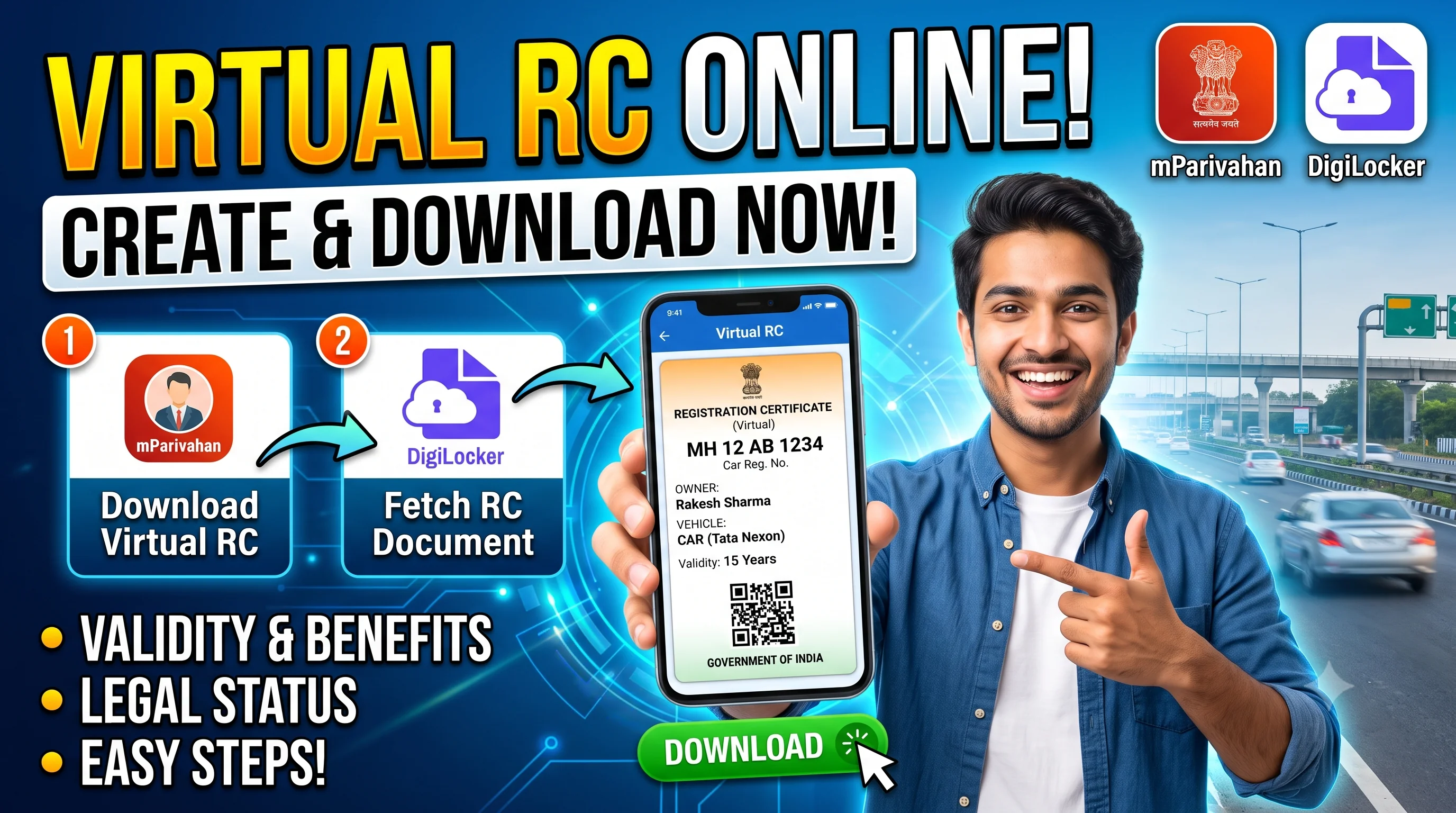
Use official DigiLocker or mParivahan
Opens official DigiLocker and mParivahan in a new tab.
Quick Action Center
| Need Help? | Service |
|---|---|
| Download RC | RC Download |
| RC Details | RC Details |
| RC Status | RC Status |
| RC Smart Card | RC Smart Card |
| RC Verification | RC Verification |
Quick Answer
A Virtual RC is a digital version of your vehicle's Registration Certificate that can be accessed through supported official platforms such as mParivahan and DigiLocker, subject to availability and applicable rules. It allows vehicle owners to securely view their registration information on a mobile device instead of relying solely on a physical document.
A Virtual RC does not replace the registration record itself. It simply provides digital access to your Registration Certificate through approved platforms. Once your Registration Certificate has been issued, you can access it using RC Download and manage it digitally through supported services.
Virtual RC Overview
| Details | Information |
|---|---|
| Service | Virtual RC |
| Authority | Ministry of Road Transport & Highways ecosystem |
| Platforms | mParivahan / DigiLocker (where supported) |
| Mode | Digital |
| Device | Smartphone |
| Internet | Required for initial setup and account access |
| Purpose | Digital access to Registration Certificate |
Did You Know?
Digital vehicle documents have become increasingly common in India. Using approved government platforms allows vehicle owners to carry important registration information on their mobile devices, reducing the need to carry paper copies in many day-to-day situations, subject to applicable rules and acceptance.
What is a Virtual RC?
A Virtual RC is the electronic version of your Registration Certificate available through supported government digital platforms.
Instead of carrying only a physical Registration Certificate or Smart Card, eligible vehicle owners can securely access their registration information on their smartphone.
The Virtual RC displays the registration details already maintained in official records—it does not create a separate registration.
Why Should You Use a Virtual RC?
Using a Virtual RC offers several practical benefits.
Easy Access
View your Registration Certificate anytime through supported digital platforms.
Convenient Storage
Store your registration information securely on your mobile device instead of relying only on physical documents.
Reduced Risk of Damage
A digital copy is not affected by normal wear and tear like paper documents.
Faster Verification
Vehicle information can be accessed quickly whenever required.
Better Document Management
A Virtual RC complements your physical Registration Certificate or RC Smart Card.
Virtual RC vs RC Smart Card
| Virtual RC | RC Smart Card |
|---|---|
| Digital document. | Physical document. |
| Stored on supported apps. | Issued by the transport authority. |
| Accessible through mobile devices. | Convenient for physical carrying. |
| Complements physical documents. | Complements digital documents. |
Virtual RC vs RC Download
| Virtual RC | RC Download |
|---|---|
| Digital version stored in approved apps. | Service used to obtain the Registration Certificate where available. |
| Designed for digital access. | Helps users retrieve registration records. |
Who Should Use Virtual RC?
Virtual RC is useful for:
- Car owners.
- Bike owners.
- Commercial vehicle owners.
- Fleet operators.
- Frequent travelers.
- Users who prefer digital documents.
When Should You Create a Virtual RC?
You should consider creating a Virtual RC after:
- Receiving your permanent Registration Certificate.
- Completing RC Download.
- Receiving your RC Smart Card.
- Updating your Registration Certificate.
- Completing RC Transfer.
Common Scenario
I Bought a New Vehicle
↓ Permanent RC issued
↓ Download RC
↓ Create Virtual RC
↓ Store in mParivahan
↓ Keep physical RC safely
Documents Needed
Generally, you'll need access to:
- Vehicle Registration Number
- Registered mobile number (where applicable)
- Access to the supported government platform
- Identity verification if requested by the platform
Before You Start
Before creating a Virtual RC:
- Ensure your Registration Certificate has already been issued.
- Verify your vehicle details using RC Details.
- Keep your registered mobile number accessible.
- Install the official application if required.
- Confirm your registration information is up to date.
Common Myths
❌ Myth: Virtual RC is different from my actual RC.
Fact: A Virtual RC is simply a digital representation of your existing Registration Certificate available through supported official platforms.
❌ Myth: I need to apply for another RC.
Fact: No. The Registration Certificate already exists. A Virtual RC provides digital access to the same registration information.
Expert Tips
- Keep both physical and digital versions available whenever appropriate.
- Verify your registration information after any update.
- Use only official government platforms.
- Keep your registered mobile number updated.
- Review your Registration Certificate through RC Details after major changes.
Review your records through RC Details after major changes.
How to Create a Virtual RC
After your permanent Registration Certificate has been issued, you may be able to access a digital version of it through supported official platforms such as mParivahan or DigiLocker, depending on the services available for your vehicle and state.
A Virtual RC is linked to your existing Registration Certificate. It is not a separate registration or a replacement for the official vehicle record maintained by the transport authority.
Before creating your Virtual RC, verify your vehicle information using RC Details to ensure your registration records are accurate.
Step-by-Step Guide to Create a Virtual RC
Step 1 – Ensure Your Permanent RC Has Been Issued
Before creating a Virtual RC, confirm that your permanent Registration Certificate has already been approved.
If your registration is still under process, monitor the application through RC Status.
Step 2 – Install an Official Platform
Download and install a supported official application such as:
- mParivahan
- DigiLocker
Use only official government applications available through trusted app stores.
Step 3 – Sign In
Create or sign in to your account using the information requested by the platform.
Follow the official verification process where applicable.
Step 4 – Add Your Vehicle
Enter the required vehicle information, which may include:
- Registration Number
- Other verification details requested by the platform
Double-check the information before submitting.
Step 5 – Retrieve Your Registration Certificate
If your vehicle information is available through the selected platform, your Virtual RC can be linked to your account and displayed for future access.
Step 6 – Verify the Information
Review the displayed Registration Certificate carefully.
Check:
- Owner information
- Registration Number
- Vehicle Make
- Vehicle Model
- Fuel Type
- Registration Date
If you notice incorrect information, complete RC Correction or RC Update where appropriate.
How to Access Your Virtual RC
Once successfully linked:
- Open the official application.
- Sign in to your account.
- Navigate to the vehicle documents section.
- Select your Registration Certificate.
You can then review your registration information whenever required.
Can You Download a Virtual RC?
Depending on the platform and available features, you may be able to access or save your Registration Certificate for convenient digital viewing.
If you need guidance on obtaining your Registration Certificate, visit RC Download.
What Should You Do After Creating a Virtual RC?
Once your Virtual RC is available:
- Verify all displayed information.
- Compare it with RC Details.
- Keep your physical Registration Certificate or RC Smart Card safely stored.
- Update your information whenever changes occur.
Common Problems While Creating a Virtual RC
Users sometimes experience issues such as:
- Registration Certificate not appearing.
- Incorrect vehicle details.
- Mobile number verification problems.
- Login difficulties.
- Temporary server issues.
- Registration still under processing.
Many of these issues are resolved once the Registration Certificate has been fully processed and synchronized with the relevant official services.
Troubleshooting Tips
Vehicle Not Found
Ensure that your permanent Registration Certificate has already been issued. If necessary, verify your registration using RC Details.
Incorrect Vehicle Information
Review the Registration Certificate carefully. If the information is incorrect, apply for RC Correction.
Registration Still Processing
Your Virtual RC may not be available until the registration process has been completed. Track your application through RC Status.
Mobile Verification Issues
Confirm that you're using the appropriate account and follow the platform's official verification process.
Common Mistakes to Avoid
Avoid these common mistakes:
- Trying to create a Virtual RC before the permanent Registration Certificate has been issued.
- Using unofficial applications.
- Entering an incorrect registration number.
- Ignoring incorrect vehicle information.
- Not keeping your Registration Certificate updated after ownership or address changes.
Expert Tips
✔ Verify Your Registration First
Review your vehicle information through RC Details before creating a Virtual RC.
✔ Keep Both Versions
Where applicable, maintain both your physical Registration Certificate (or RC Smart Card) and your Virtual RC.
✔ Update Your Information Promptly
If ownership or other eligible details change, complete RC Transfer or RC Update before relying on the digital record.
✔ Use Official Platforms Only
Avoid third-party applications that claim to generate or store vehicle documents outside official government services.
✔ Check After Major Changes
Whenever you renew, transfer, or update your Registration Certificate, review the Virtual RC to ensure the information reflects the latest approved records.
Virtual RC vs Physical RC
| Virtual RC | Physical RC |
|---|---|
| Digital version accessible through supported official platforms. | Printed Registration Certificate or Smart Card issued by the transport authority. |
| Convenient for digital access. | Physical document for record-keeping. |
| Accessible on supported mobile devices. | Carried as a physical document. |
| Reflects the same registration information. | Official printed version of the registration information. |
Virtual RC vs RC Details
| Virtual RC | RC Details |
|---|---|
| Digital representation of the Registration Certificate. | Service used to review vehicle registration information. |
| Intended for convenient access to your RC. | Helps verify the information recorded for the vehicle. |
After Approval – What's Next?
Once your Virtual RC is successfully available:
- Review all registration information.
- Keep your physical Registration Certificate safely stored.
- Update your records whenever required.
- Use RC Details to verify future changes.
Decision Guide
Permanent RC Available?
↓ Yes
↓ Verify using RC Details
↓ Create Virtual RC
↓ Review information
↓ Keep physical RC safely
↓ Registration records ready whenever needed
No
↓ Track the application using RC Status
↓ Wait until permanent registration is completed.
Frequently Asked Questions (FAQs)
A Virtual RC is a digital version of your Registration Certificate available through supported official government platforms.
No. It provides digital access to the same Registration Certificate information maintained in official records.
No. A Virtual RC is generally linked to an existing permanent Registration Certificate.
Official government platforms such as mParivahan and DigiLocker may support Virtual RC services, depending on availability.
No. Changes must first be approved through the appropriate Registration Certificate service, such as RC Update or RC Correction.
Review the details carefully and apply for the appropriate RC service to correct or update the information.
Yes. The physical Smart Card and Virtual RC complement each other and represent the same Registration Certificate.
Wait until the permanent Registration Certificate has been issued, then create the Virtual RC.
Availability depends on the official services, registration records, and platform support applicable to your vehicle.
Verify all information, keep your physical Registration Certificate safely stored, and update your records whenever changes are approved.
No. RCDownloads.com is an independent informational website. Official vehicle-related services should always be completed through the respective government transport portals.
Final Thoughts
A Virtual RC provides a convenient way to access your vehicle's Registration Certificate digitally through supported official government platforms. It complements your physical Registration Certificate or RC Smart Card and makes it easier to review your registration information whenever needed.
Before creating your Virtual RC, verify your records through RC Details, wait until your permanent Registration Certificate has been issued, and use RC Download where appropriate to access your registration documents. Keeping your physical and digital records consistent helps ensure smoother access to future RC services.